-
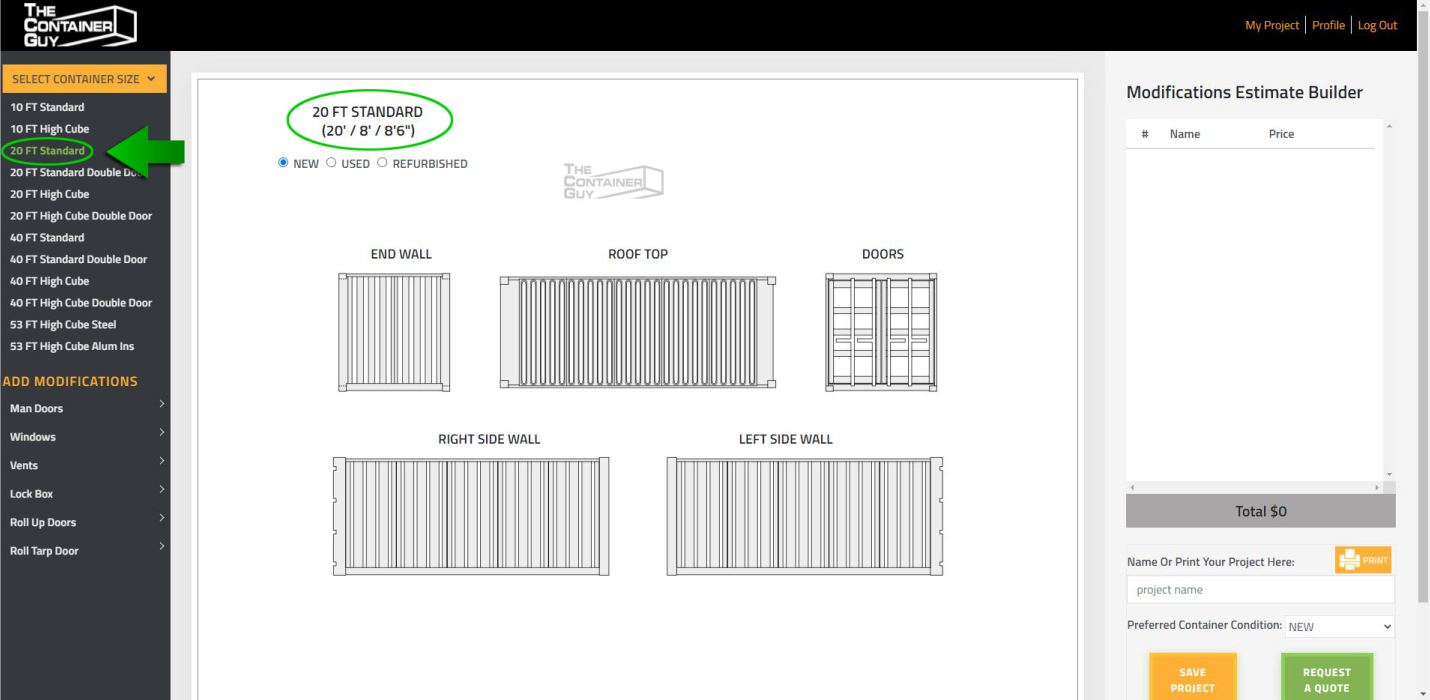
Select your container size from the dropdown list in the left hand navigation menu. You can toggle the dropdown list by clicking "SELECT CONTAINER SIZE" button.
-
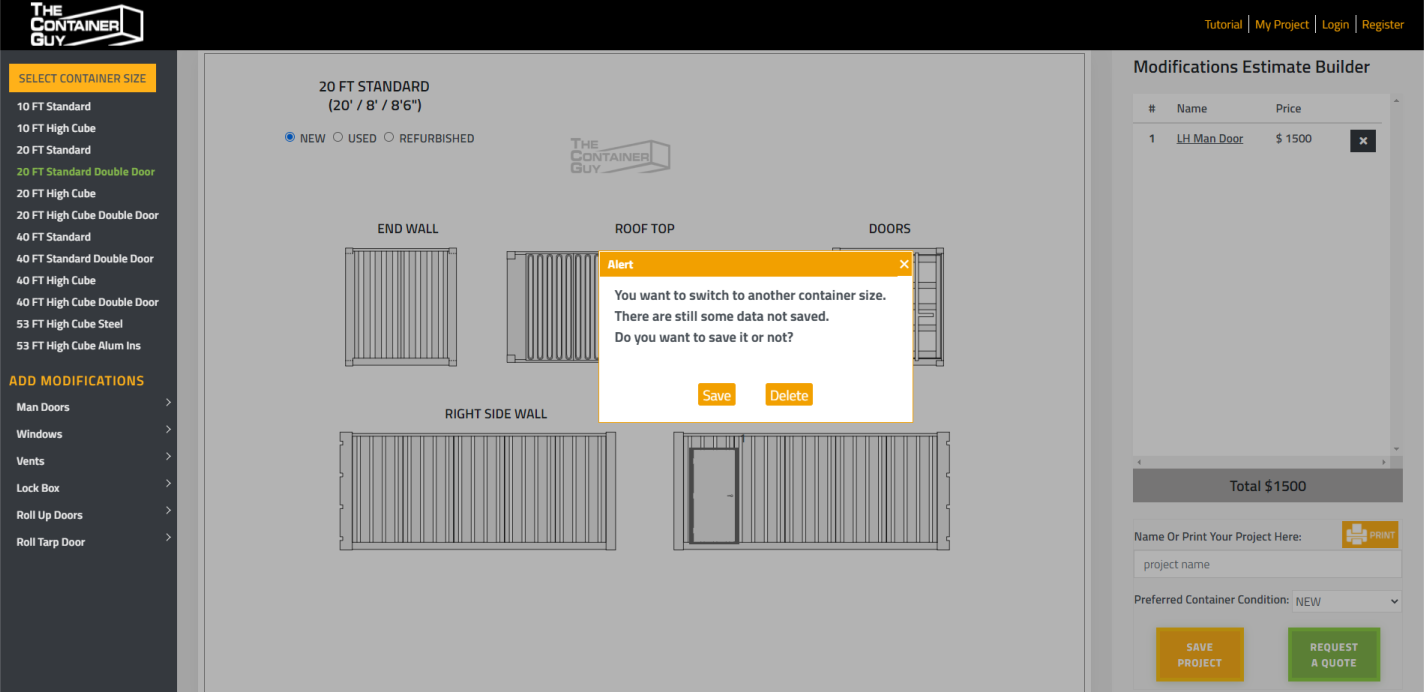
If you want to change the container size while you have already added some components, system will popup a window and ask you to save or not. You can click "SAVE" button or "DELETE" button if you don't need these components any more.
-
When you click "SAVE" button please turn to tab "Save and Print" for more details.